RECONNECT · TIKTOK
Reconnect your TikTok feed
Already built your widget? This is how to point it at another TikTok account, or fix a connection that has lapsed. Your widget, its styling and its embed code stay the same. About 2 minutes.
Open your widget, then Embed and Source
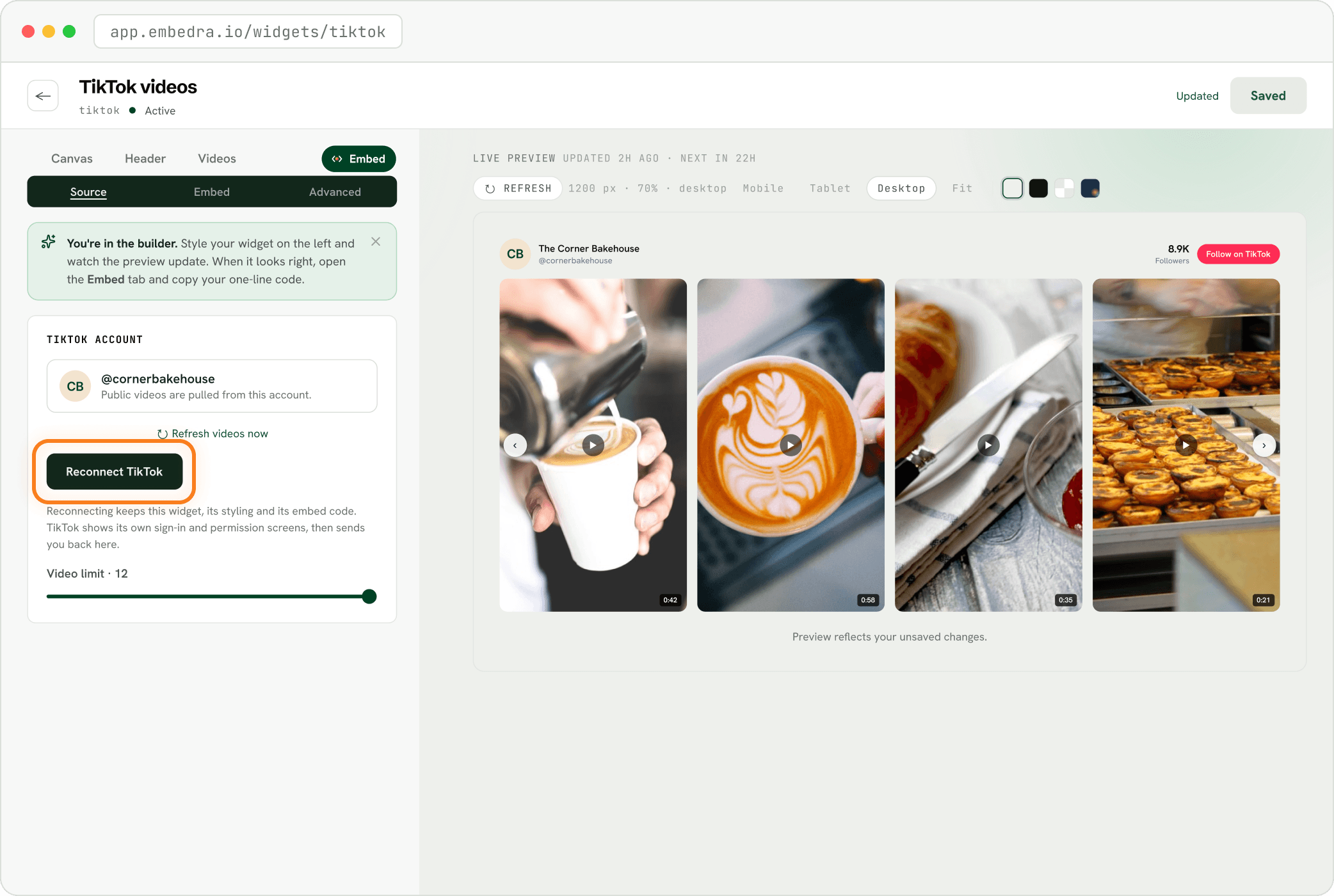
On your dashboard, open the TikTok widget. Click the Embed pill, then Source. Under "TIKTOK ACCOUNT" you see which account is connected. Click "Reconnect TikTok".
Pick the account, then click "Continue"
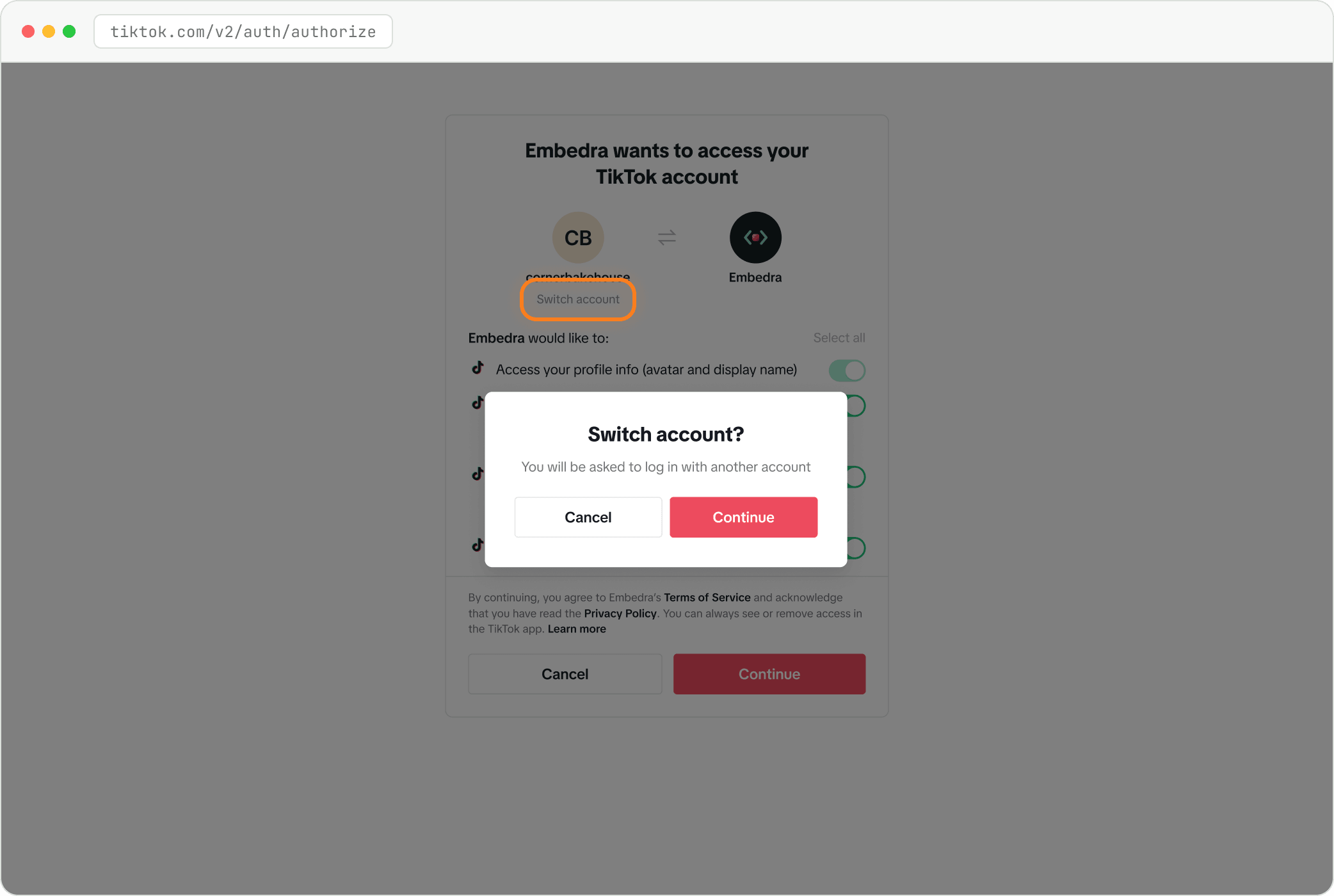
TikTok shows its permission screen for the account this browser is logged into. To use a different one, click "Switch account", confirm, and log in with it. Then click "Continue". You land back in the builder and the videos switch to the new account.
Setting this widget up for the first time? Create your TikTok widget walks through it from the start.
Stuck on a step? Email support@embedra.io. A real person replies.