Loading your widgets…
Embedra
← ALL INSTALL GUIDES
INSTALL GUIDES · WORDPRESS
Add your widget to WordPress
Use a Custom HTML block for a feed on one page, or the free WPCode plugin for a cookie banner or chat button on every page. About 3 minutes.
Copy your code
In Embedra, open your widget, click the Embed pill, then "Copy code". It already carries your widget's ID, so there is nothing to fill in.
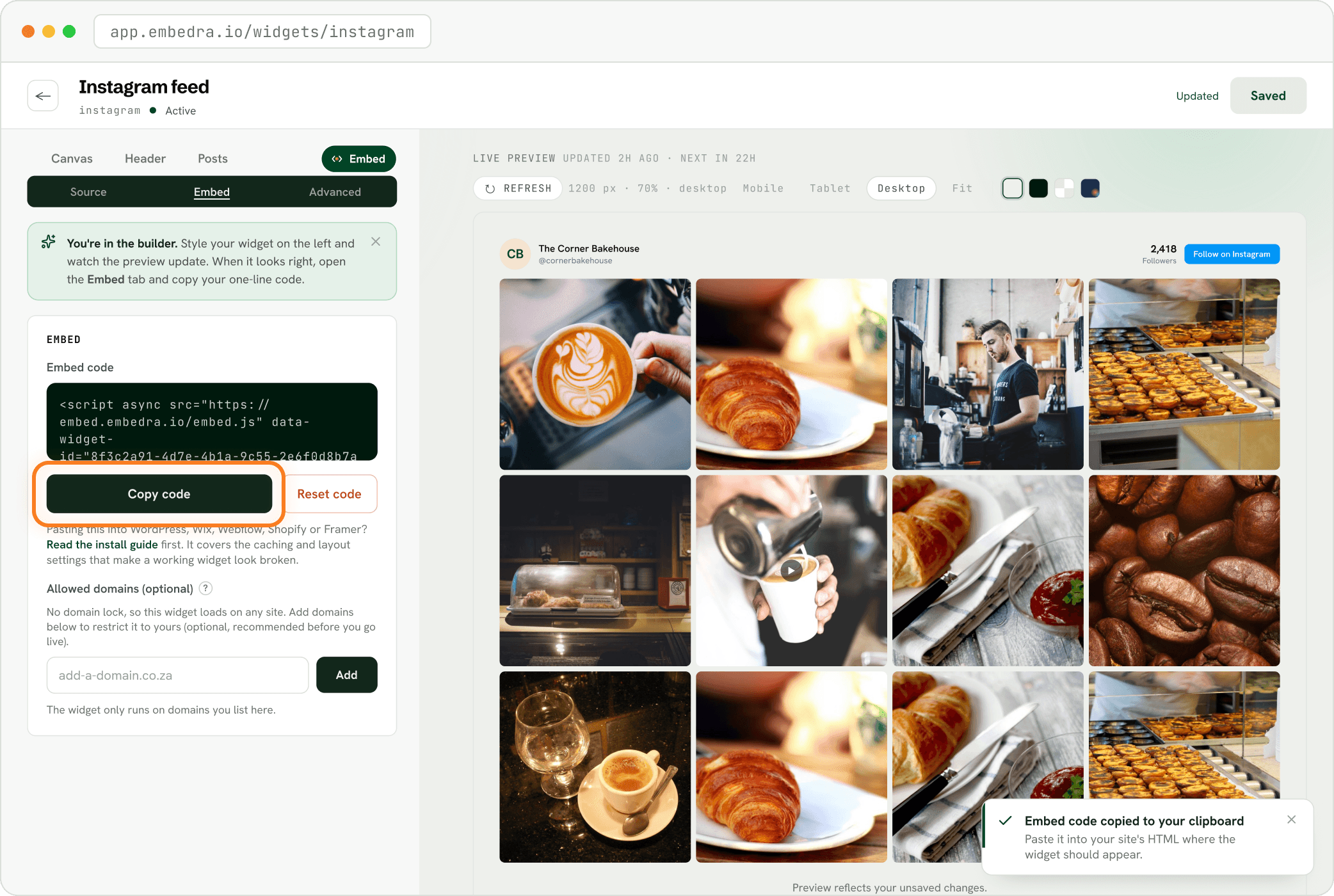
On one page
For feeds: Instagram, Facebook, TikTok, YouTube and Google Reviews. The widget appears exactly where you paste the code.
Add a Custom HTML block
Open the page (Pages, All Pages, then click it). Click the blue "+" at the top left, type "html" and click "Custom HTML".
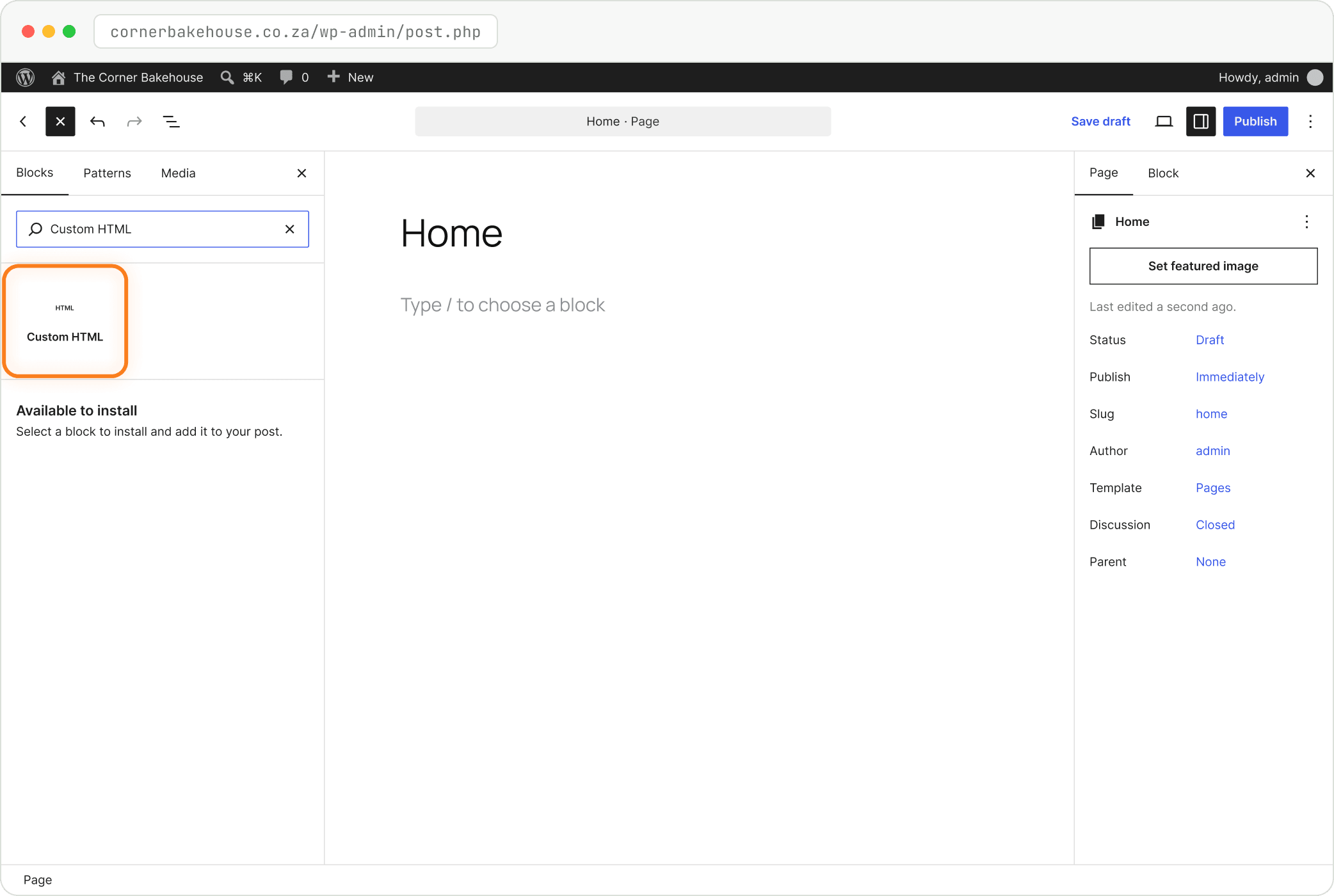
Click "Edit HTML"
The block says "Add custom HTML code and preview how it looks." Click "Edit HTML".
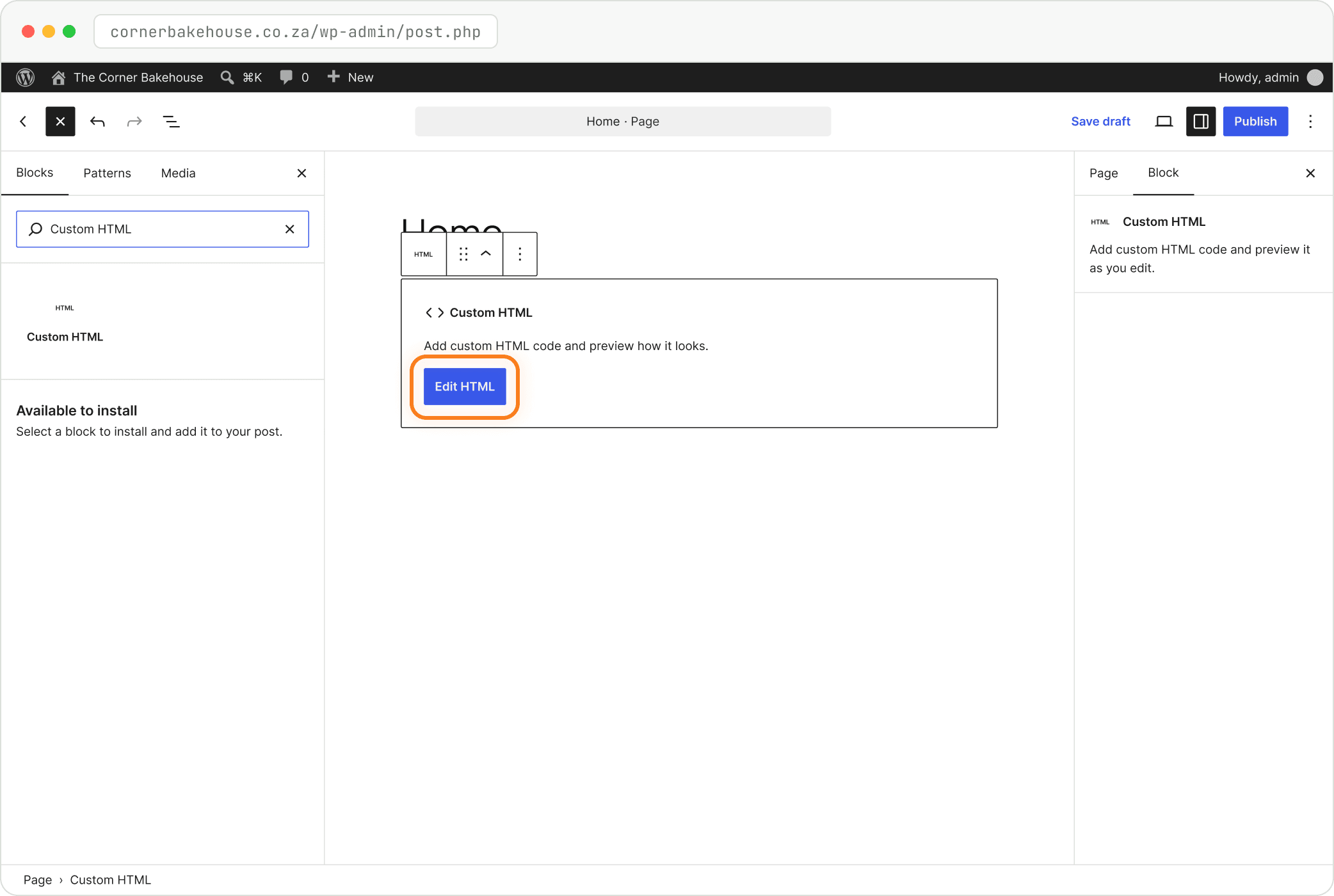
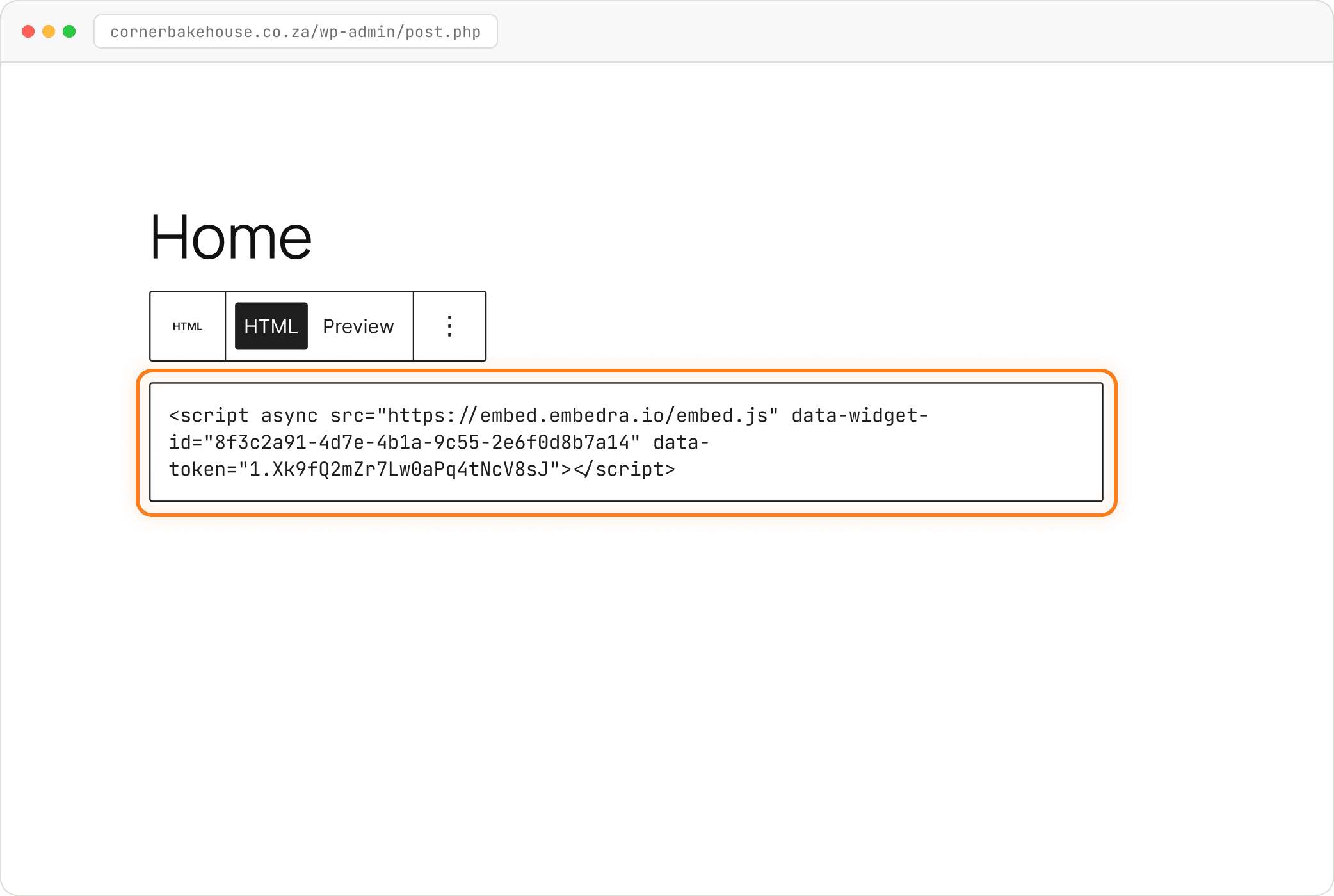
Paste into the HTML tab, then Update
Paste your code into the HTML tab (not the JavaScript tab) and click "Update".
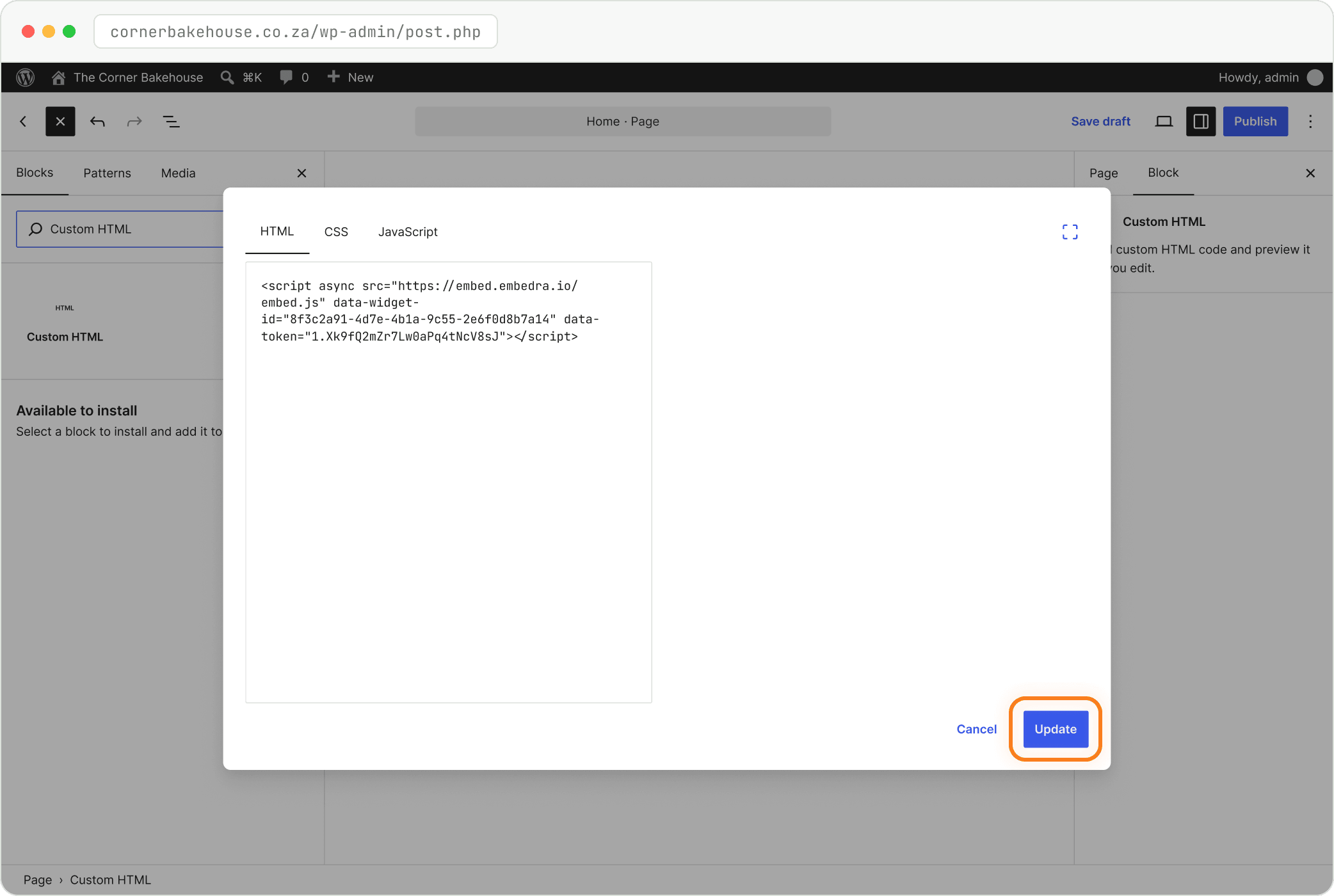
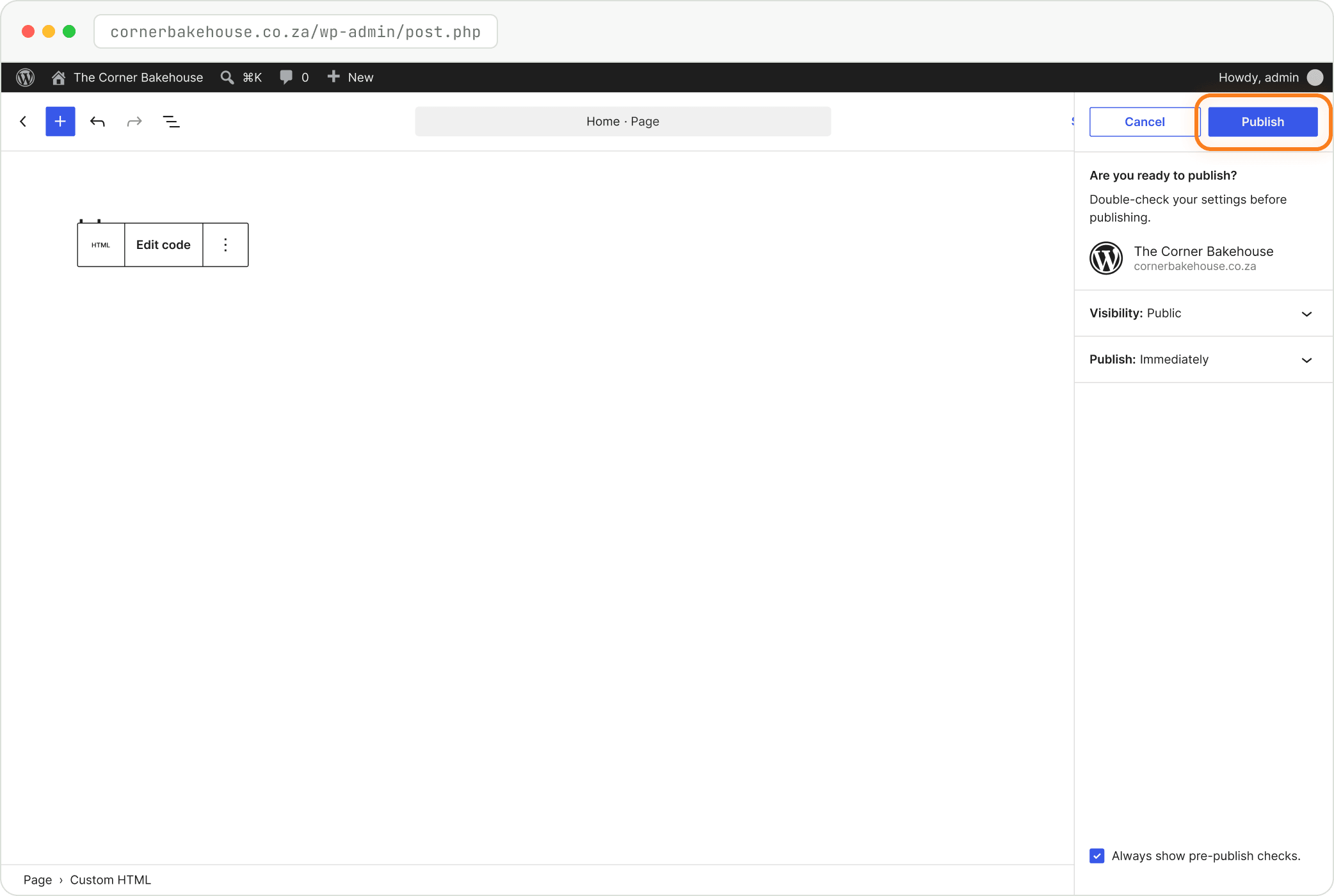
Save the page
Click "Save" at the top right ("Publish" if the page is new).
- Heads up
Older WordPress (6.x)?
The Custom HTML block has a box right on the page. Paste your code straight into it and save. Classic editor: paste into the "Text" tab, never "Visual".
On WordPress 6: paste into the box
Same block, older look. Paste into "Write HTML…" and save.
On every page
For tools that float over your site: Cookie Banner and WhatsApp chat. Paste once, at the end of the page, and it shows on every page.
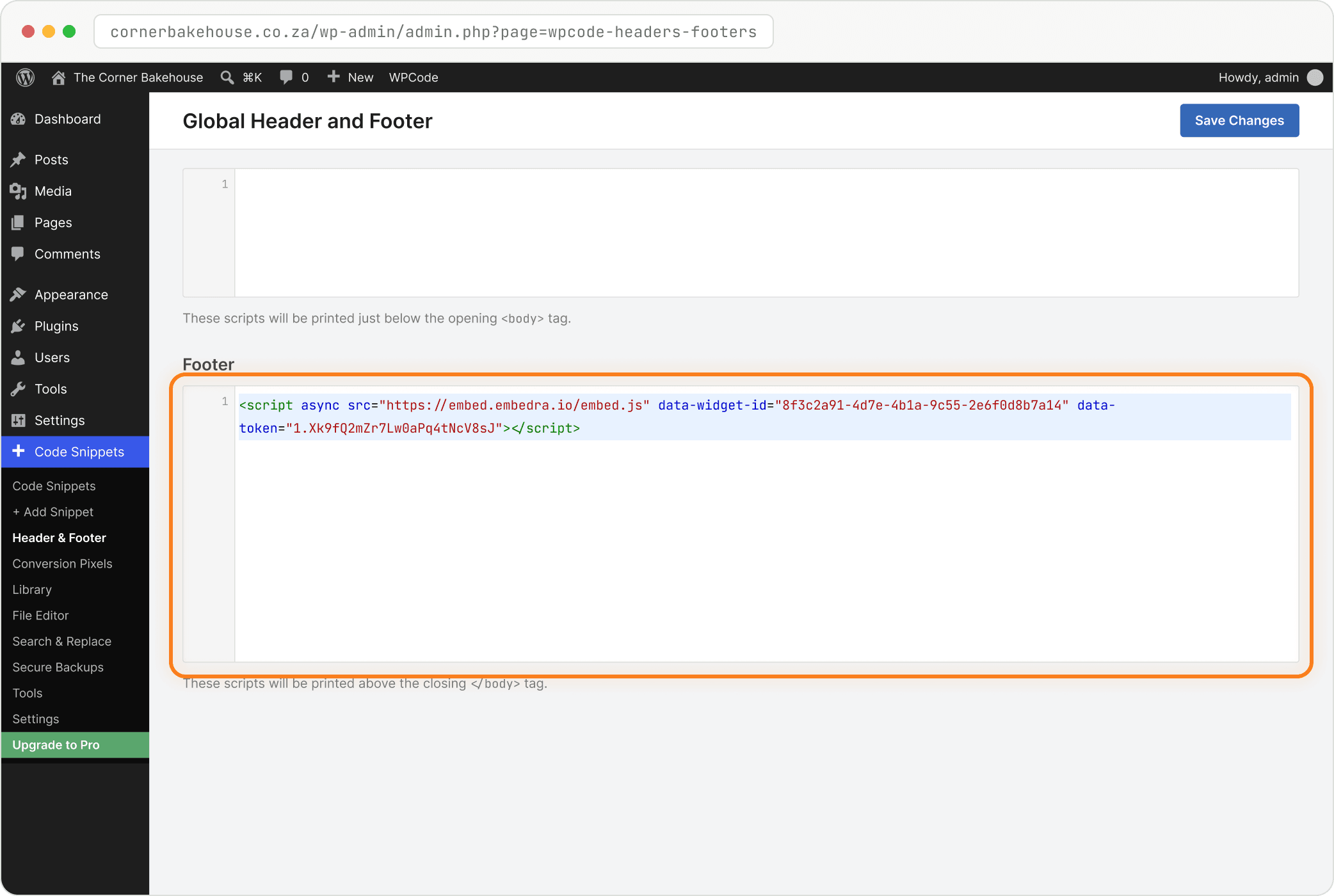
Paste into WPCode's Footer box
Install the free WPCode plugin (Plugins, "Add New Plugin", search "WPCode", "Install Now", "Activate"). Open Code Snippets, then "Header & Footer". Paste your code into the Footer box and click "Save Changes".
- Tip
Check it like a visitor
Open your live site in a private (incognito) window. That shows exactly what your visitors see, without your login or your browser's saved copy.
- Fix
It only shows when I am logged in
A caching plugin (WP Rocket, LiteSpeed Cache) is showing visitors an old saved copy of your page. Clear the cache, for example "Clear and preload cache" in WP Rocket, then check again.
- Fix
It only appears when I scroll or click
Your caching plugin is delaying JavaScript to boost speed scores. Find its "Delay JavaScript" setting and add embedra to the exclusion list.
- Fix
WordPress removes my code when I save
Only Administrators and Editors may save code. Save as an Administrator, and make sure you used a Custom HTML block, not a paragraph.
NEXT
Create another widget →Instagram, Facebook, TikTok, Google Reviews, Cookie Banner and WhatsApp chat, each in a few minutes.
Something on this page does not match what you see? Email support@embedra.io. A real person replies.