Loading your widgets…
Embedra
← ALL INSTALL GUIDES
INSTALL GUIDES · SHOPIFY
Add your widget to Shopify
Use a Custom Liquid section in your theme editor. Put it in a page's template for a feed, or in the Footer group for a cookie banner or chat button on every page. About 3 minutes.
Copy your code
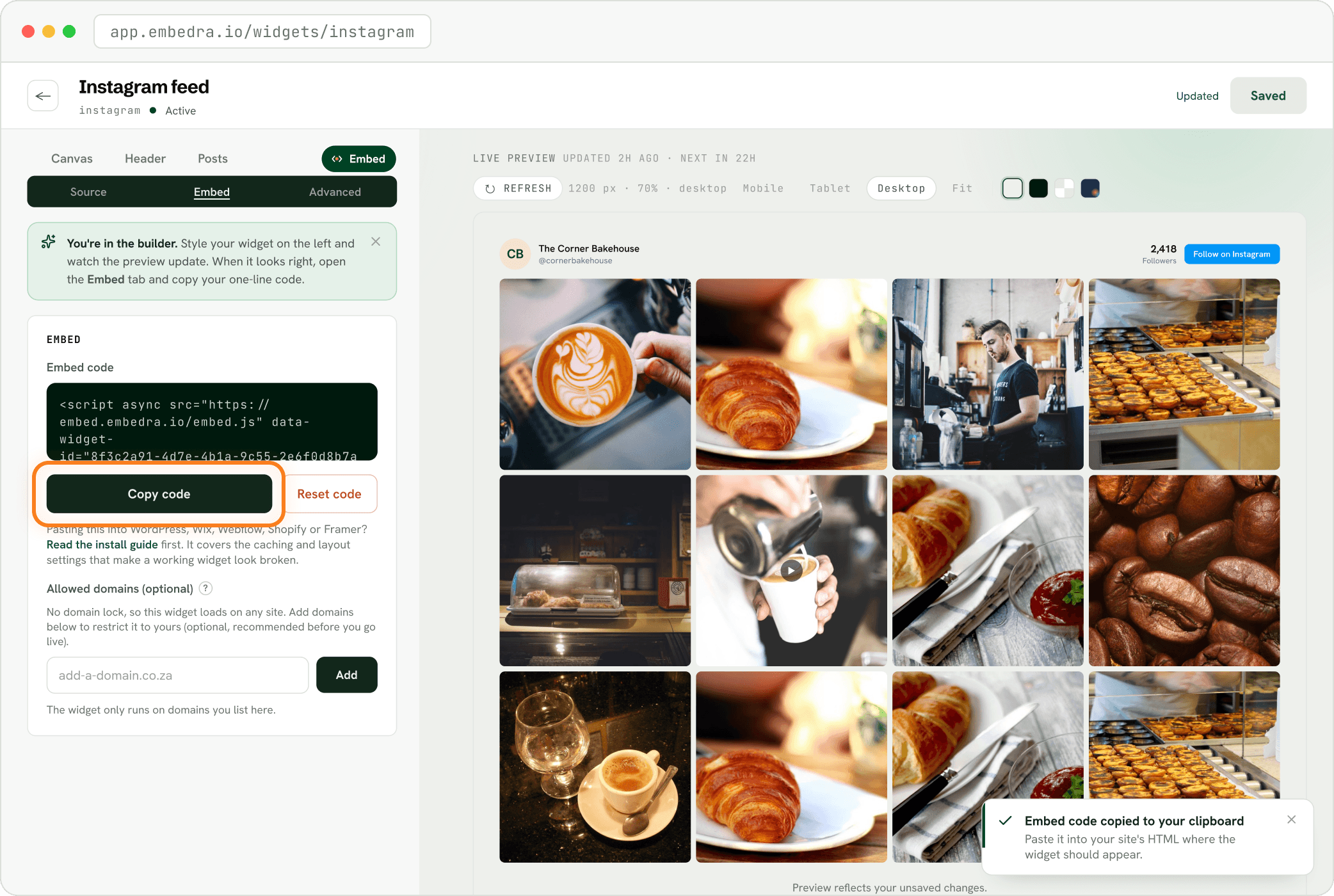
In Embedra, open your widget, click the Embed pill, then "Copy code". It already carries your widget's ID, so there is nothing to fill in.
On one page
For feeds: Instagram, Facebook, TikTok, YouTube and Google Reviews. The widget appears exactly where you paste the code.
Add a Custom Liquid section
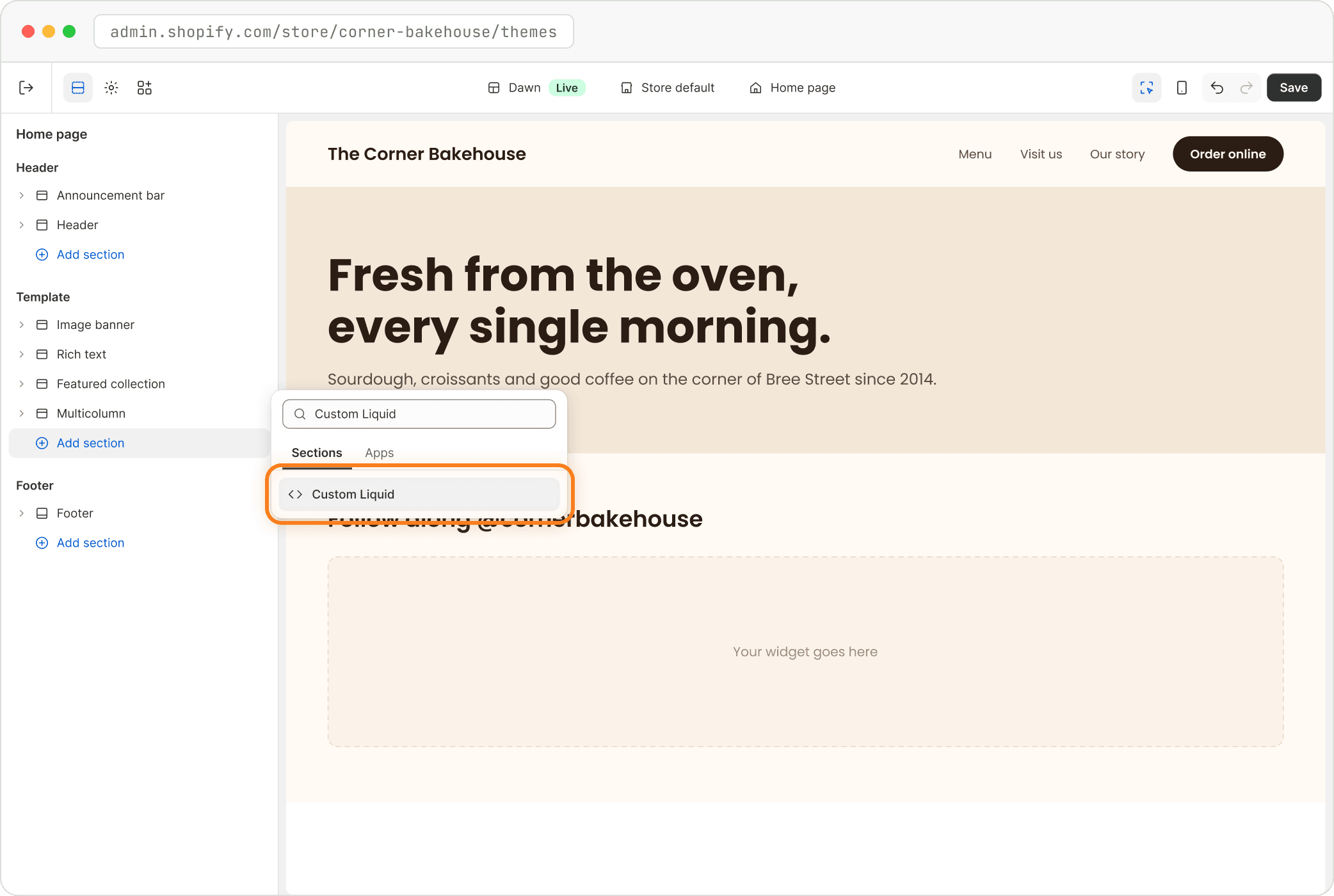
In Shopify admin, open Online Store and click "Edit theme". Pick the page from the menu at the top centre. On the left, under Template, click "Add section", search "Custom Liquid" and click it.
Paste into "Liquid code", then Save
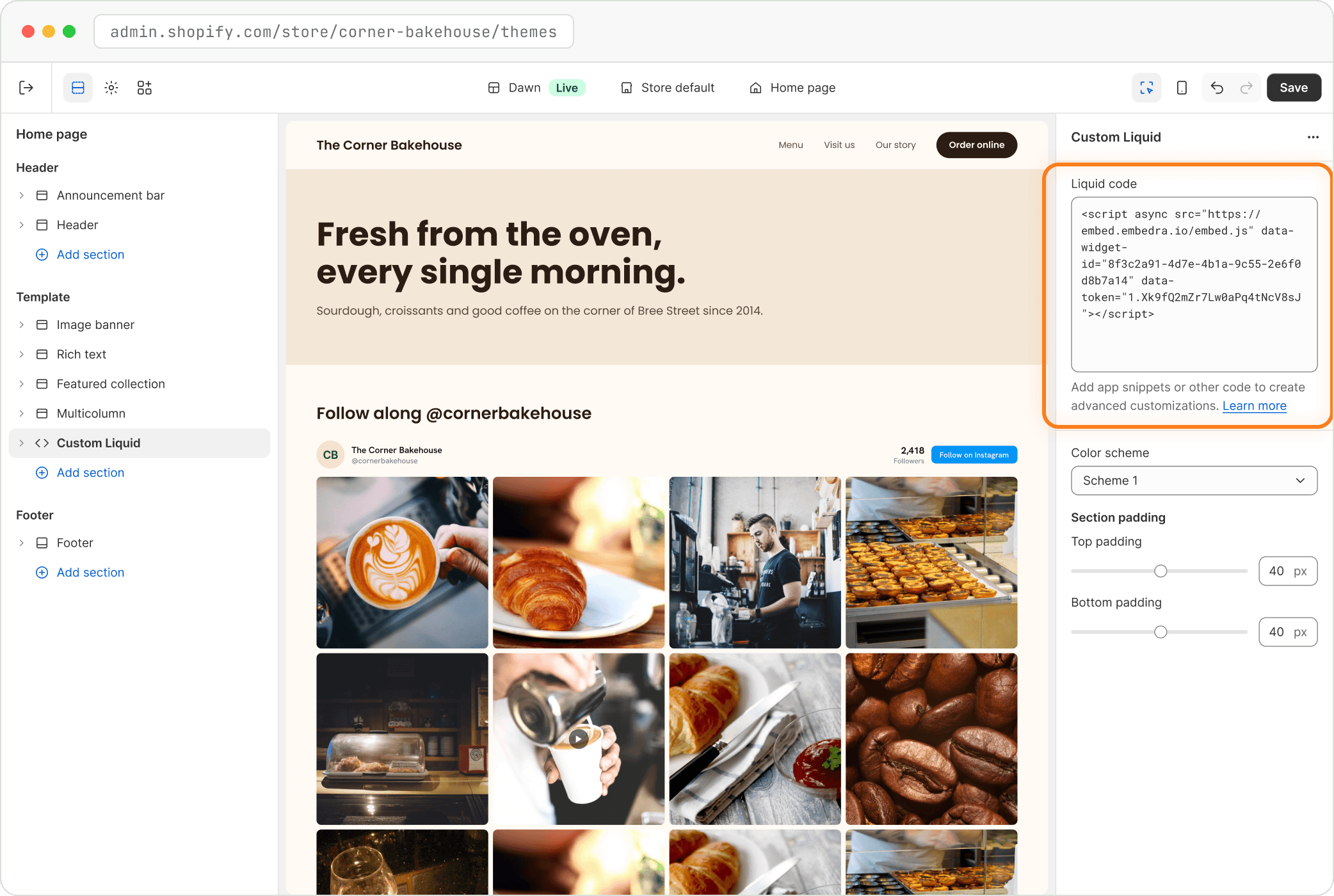
Paste your code into the "Liquid code" box on the right and click "Save" at the top right.
- Heads up
This changes the whole template
Every page that uses the same template (for example every product page) gets the widget. For one page only, make a separate template first.
On every page
For tools that float over your site: Cookie Banner and WhatsApp chat. Paste once, at the end of the page, and it shows on every page.
Add Custom Liquid to the Footer group
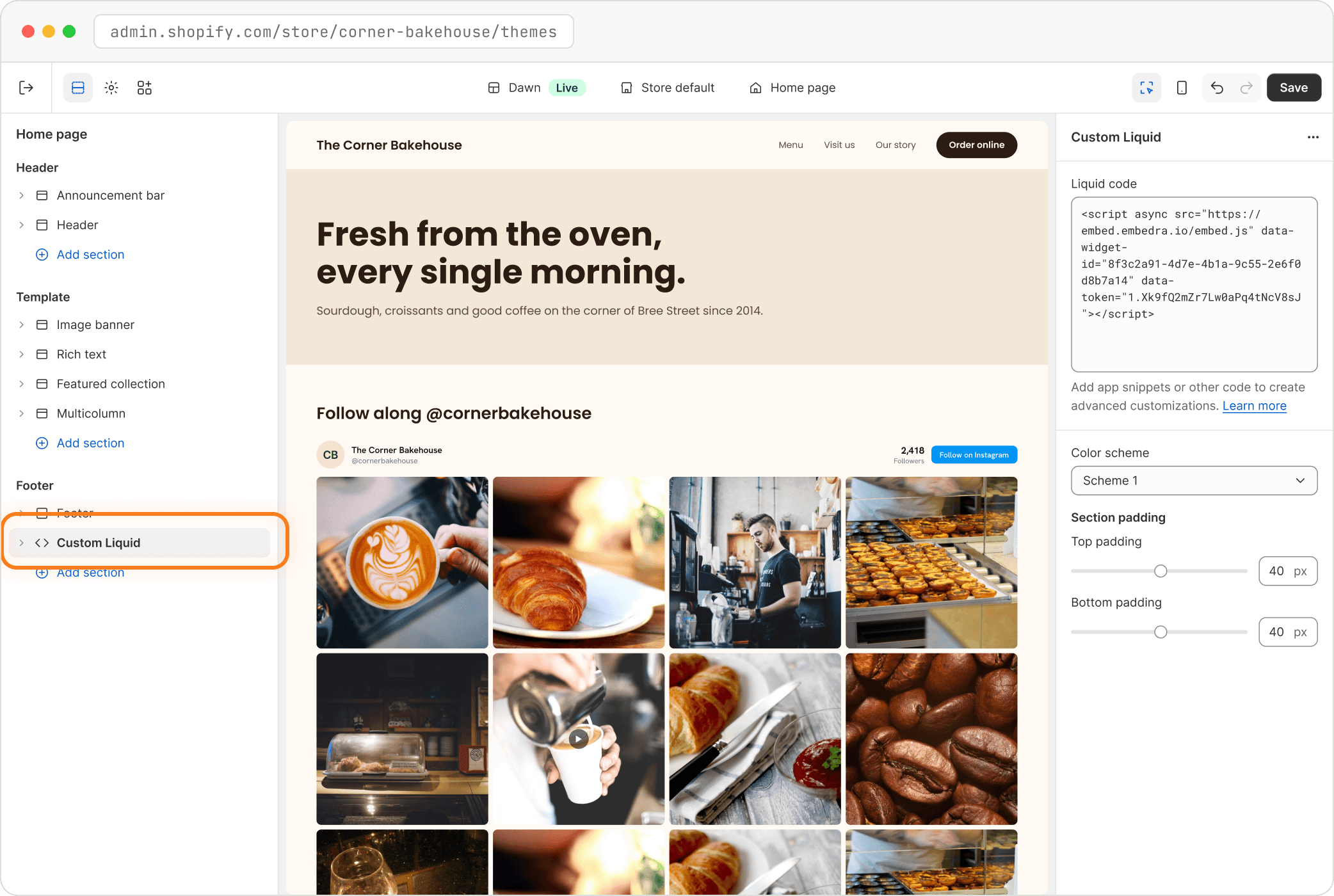
In the same editor, scroll the left panel to Footer. Click "Add section", choose "Custom Liquid", paste your code and click "Save". Comfortable with code? You can also paste it just above </body> in layout/theme.liquid.
- Tip
Check it like a visitor
Open your live site in a private (incognito) window. That shows exactly what your visitors see, without your login or your browser's saved copy.
- Fix
The widget is squeezed into a narrow column
The Custom Liquid section sits inside a narrow section. Drag it out so it is its own full-width section.
- Fix
"This widget only runs on the website it was set up for."
You added Allowed domains in Embedra and your store is showing on a different address. Add the exact address from your browser bar (and your .myshopify.com address if you preview there), or remove every domain.
NEXT
Create another widget →Instagram, Facebook, TikTok, Google Reviews, Cookie Banner and WhatsApp chat, each in a few minutes.
Something on this page does not match what you see? Email support@embedra.io. A real person replies.