INSTALL GUIDES · PLAIN HTML
Add your widget to any other website
Built by hand, or on a builder that is not listed? If you can edit the page's HTML, you can add a widget. About 2 minutes.
Copy your code
In Embedra, open your widget, click the Embed pill, then "Copy code". It already carries your widget's ID, so there is nothing to fill in.

On one page
For feeds: Instagram, Facebook, TikTok, YouTube and Google Reviews. The widget appears exactly where you paste the code.
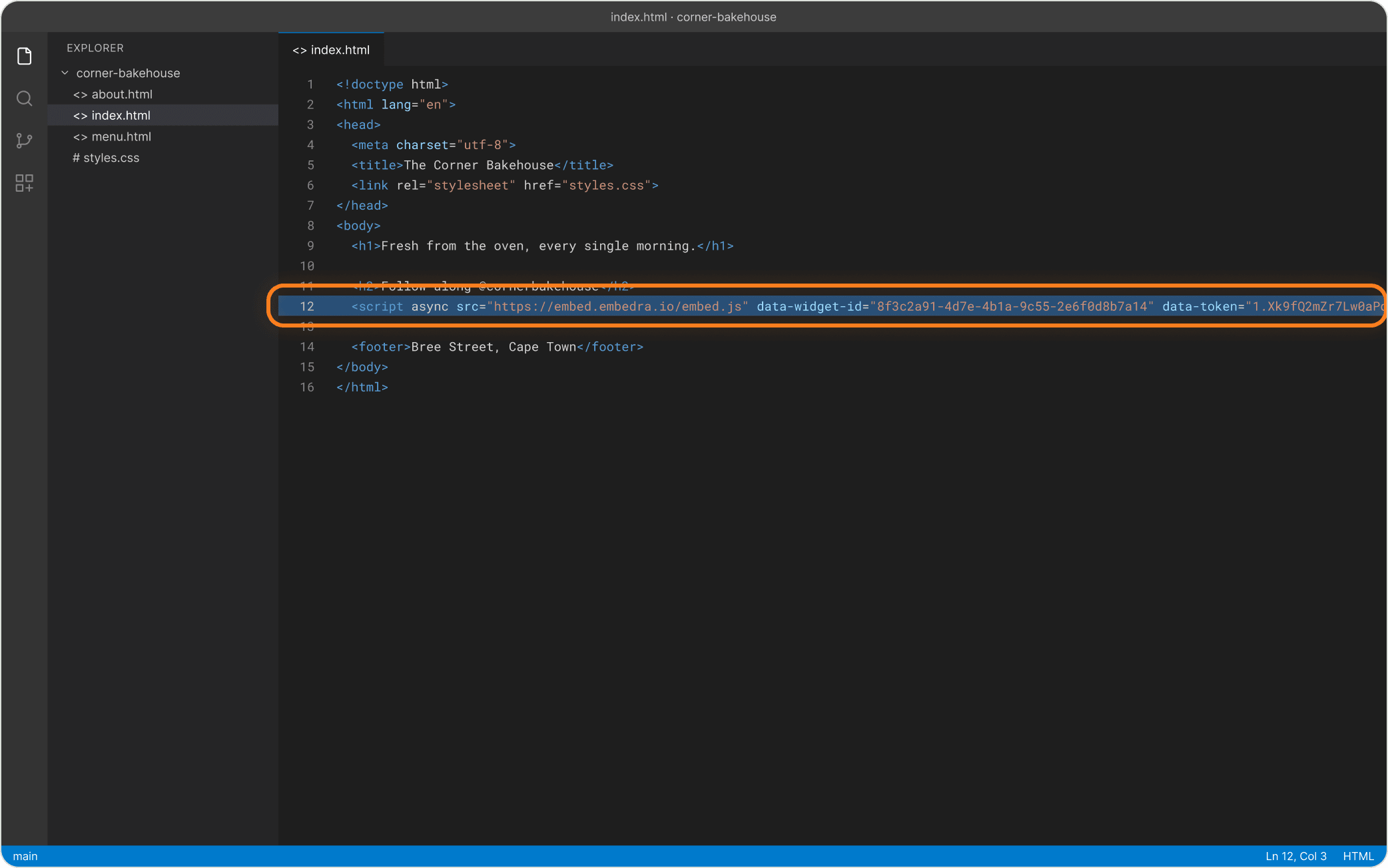
Paste inside <body>, where it should appear
Open the page file, paste the line inside <body> at the spot where the widget should show, save and upload.
On every page
For tools that float over your site: Cookie Banner and WhatsApp chat. Paste once, at the end of the page, and it shows on every page.
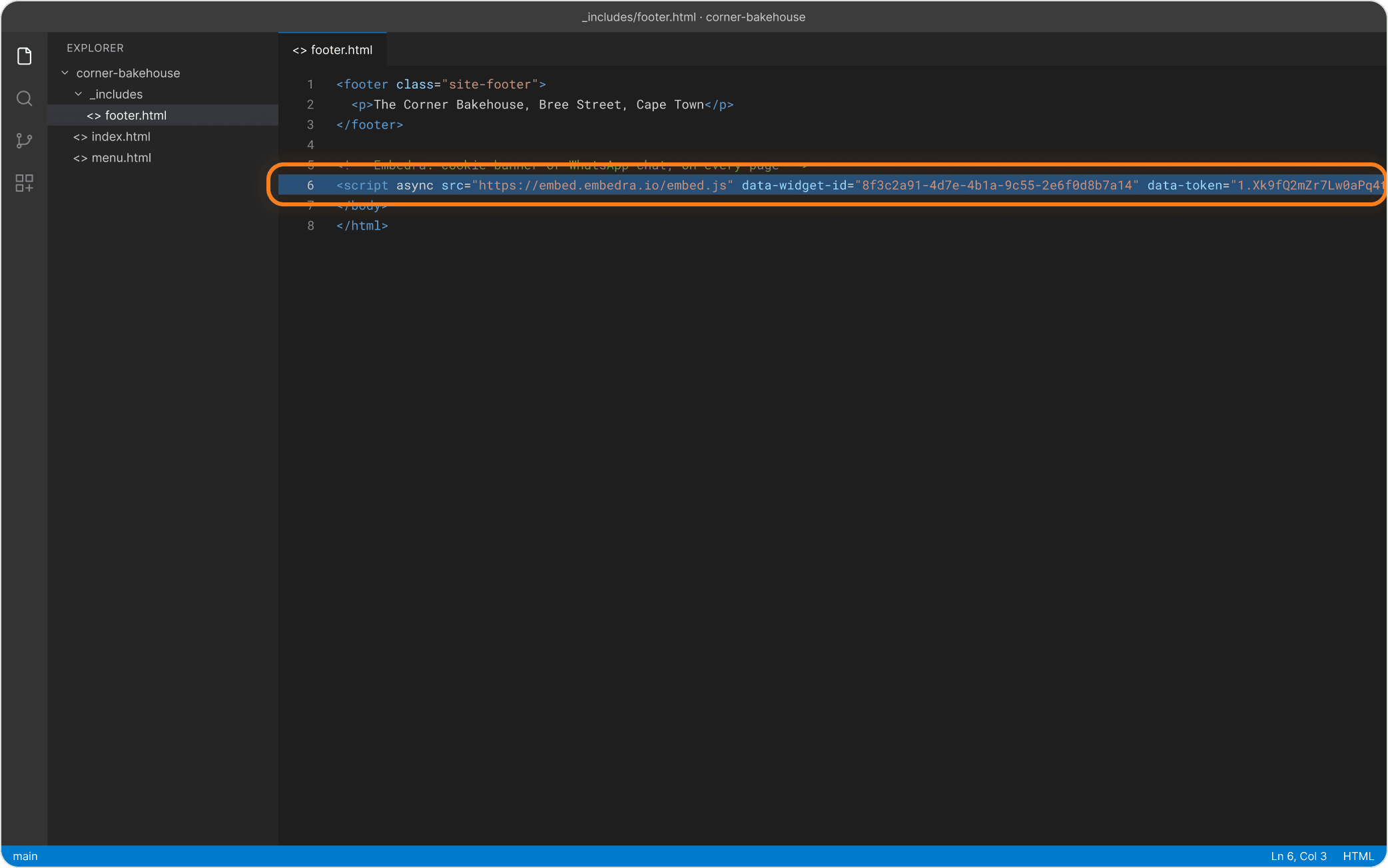
Paste just above </body>
Paste it just above </body> on every page, or once in the shared footer or layout file if your site has one.
- Heads up
Test on the real website
Opening the file straight from your computer does not work. Upload it, or run a local server, and check it there.
- Heads up
Using a Content Security Policy?
If your site sets a Content Security Policy, it has to allow embed.embedra.io, or the browser blocks the widget.
NEXT
Create another widget →Instagram, Facebook, TikTok, Google Reviews, Cookie Banner and WhatsApp chat, each in a few minutes.
Something on this page does not match what you see? Email support@embedra.io. A real person replies.