Loading your widgets…
Embedra
← ALL INSTALL GUIDES
INSTALL GUIDES · FRAMER
Add your widget to Framer
Use the Embed component for a feed, or Settings, Code, "Add Script" for a cookie banner or chat button on every page. About 3 minutes.
Copy your code
In Embedra, open your widget, click the Embed pill, then "Copy code". It already carries your widget's ID, so there is nothing to fill in.

On one page
For feeds: Instagram, Facebook, TikTok, YouTube and Google Reviews. The widget appears exactly where you paste the code.
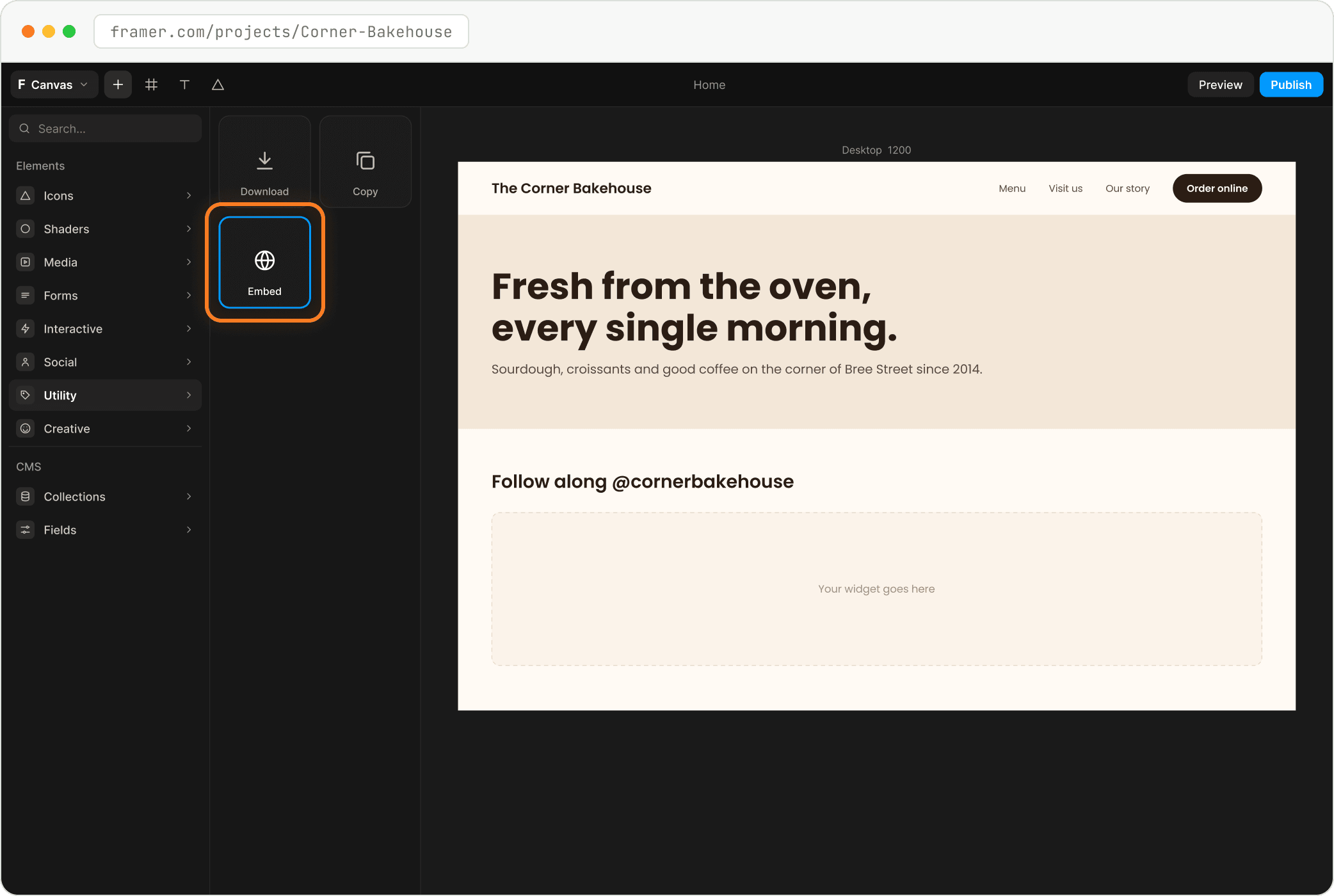
Insert an Embed
Click "+" (Insert) at the top left, open Utility and drag "Embed" onto the page.
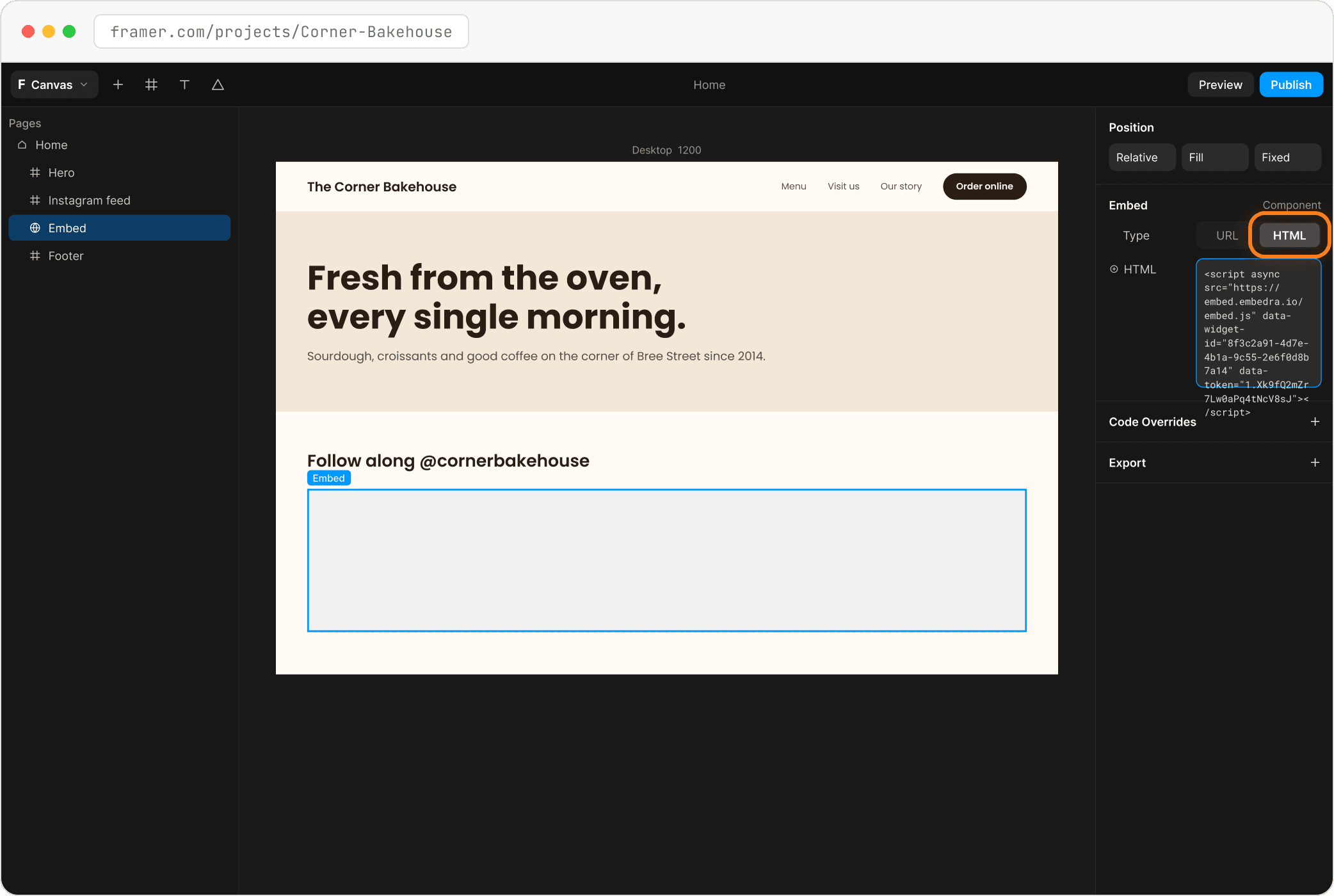
Switch Type to HTML and paste
On the right, under Embed, switch Type from URL to "HTML" and paste your code into the HTML box. Set the width to Fill and give it enough height, then Publish.
- Heads up
Check the published site
Framer only runs code in the browser, not in the editor. Publish and open your live site to see the widget.
On every page
For tools that float over your site: Cookie Banner and WhatsApp chat. Paste once, at the end of the page, and it shows on every page.
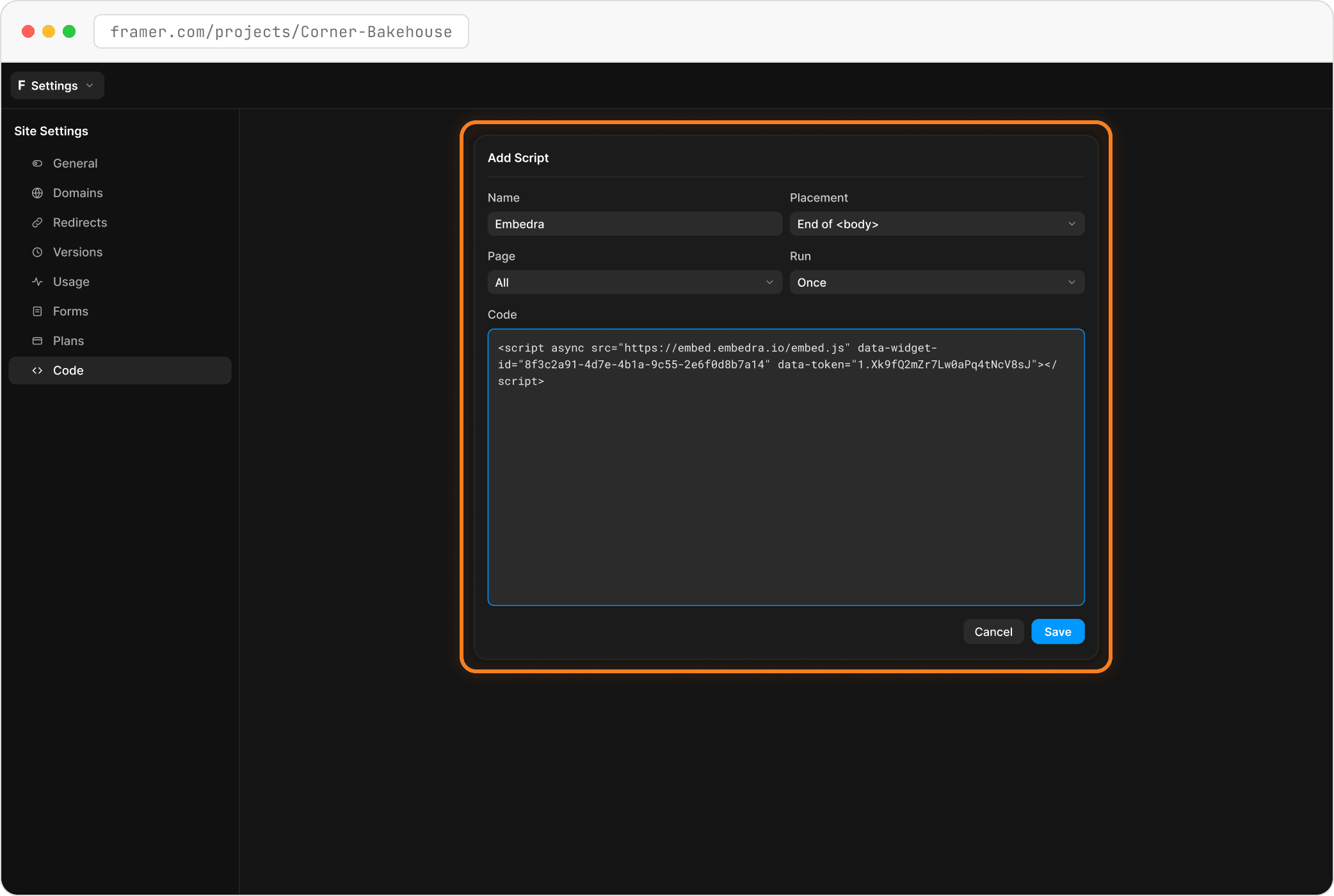
Add Script: End of <body>, All pages, Once
Open Settings (top left), then "Code" and "Add Script". Name it "Embedra", set Placement to "End of <body>", Page to "All" and Run to "Once". Paste your code, save, then Publish.
- Tip
Check it like a visitor
Open your live site in a private (incognito) window. That shows exactly what your visitors see, without your login or your browser's saved copy.
- Fix
There is a scrollbar inside my widget
The Embed has a fixed height and your widget is taller. Select the Embed and increase its height until the scrollbar goes.
NEXT
Create another widget →Instagram, Facebook, TikTok, Google Reviews, Cookie Banner and WhatsApp chat, each in a few minutes.
Something on this page does not match what you see? Email support@embedra.io. A real person replies.